 Ingest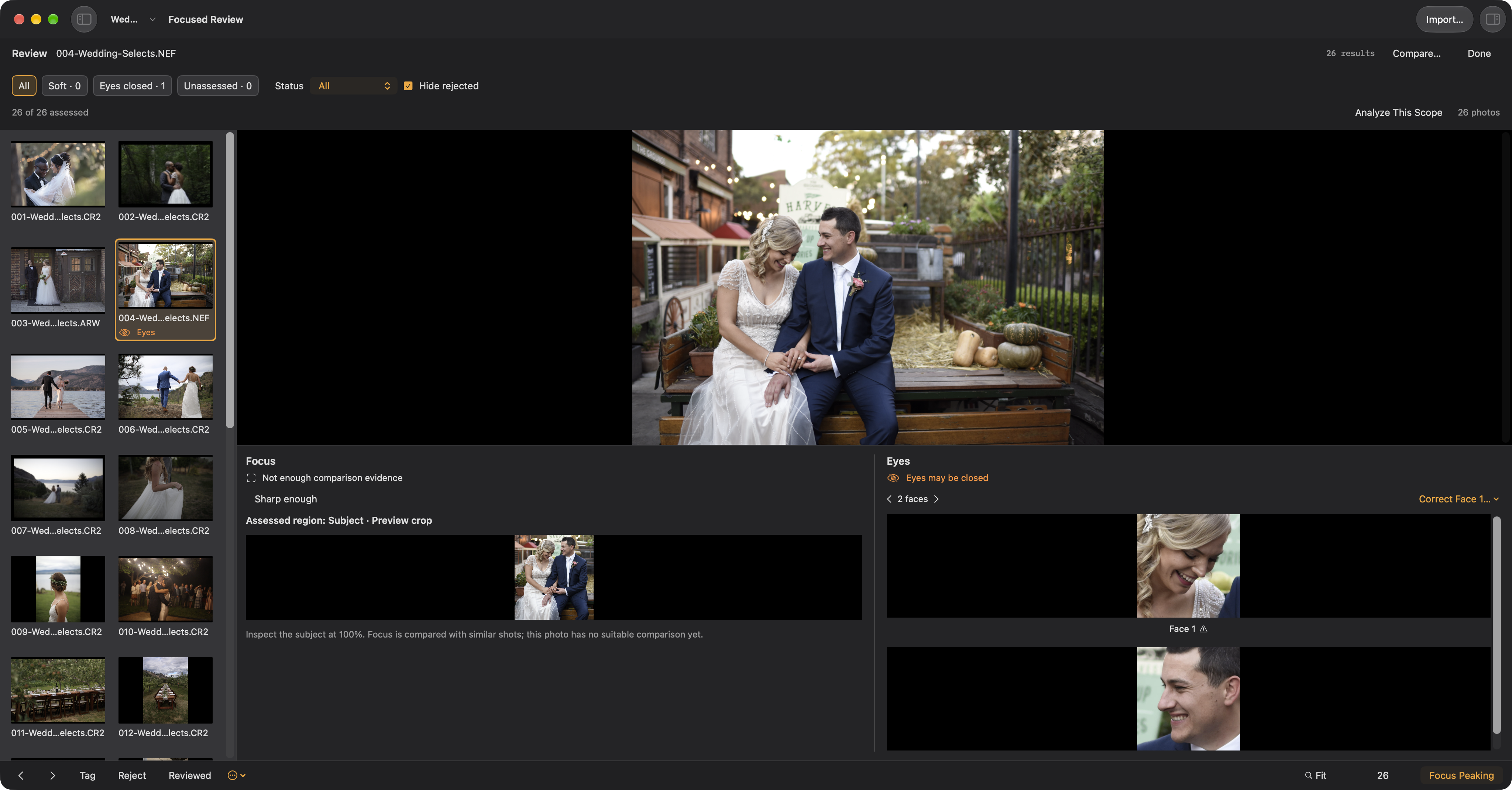
Review a set of photos
Choose Review in Browse’s photo-control row, the photo context menu, or the command palette. Multiple selected photos form a fixed queue; otherwise Review uses the visible photos starting at the active photo. Videos are excluded, and marking does not remove photos from the queue.
The review queue keeps the set available while you inspect a photo. The inspection area shows Faces close-ups and focus detail. Click a face or use [ and ] to zoom to it; Fit returns to the whole photo. Corrections belong to individual faces or detail. Uncertain eyes are explained in the selected face’s details, rather than repeated under every thumbnail. Sharper eye reassessment runs for the inspected photo, not the whole folder.
Compare… holds a reference while the filmstrip chooses candidates; inspection and marks follow the active pane. Back to Review restores the prior photo, face, zoom, and inspection scroll. Done restores Browse or Suggestions with its selection, filters, and scroll position; your saved decisions remain.
Optional Second Opinion: find Ask Claude for a Second Opinion… in ⌘K for selected photos, or ask about the current folder or album. Review the scope, type a question, and choose Ask. It requires Claude Code and your Claude account, and sends requested previews and details to Anthropic. It can navigate your viewer but cannot change marks or files. What is shared →
Review entirely by hand or use optional built-in on-device assistance for eye and sharpness assessments, similar-photo evaluation, and keeper suggestions. You review and apply suggestions; opening them does not change your tags. Photo analysis stays on your Mac.
T toggles a tag and U removes it. Tag photos to find or act on them together. Stars, colors, and keywords are independent: 1 to 5 set stars, and pressing the current rating clears it. 6 to 9 set color labels, with ⌥9 for purple. R marks it reviewed.
By default a marking key changes the current photo without advancing. Turn on advancing in Settings → Browsing and the loop becomes one key per photograph: T to keep, → to skip. Holding ⇧ with any marking key does the opposite for that one press.
Use ⌘Z to undo review marks, batches of marks, and supported stack changes.
Tags live in Ingest. For writable folders, stars and color labels are saved in supported image files or XMP sidecars, so compatible editing apps can read them. Writes run in the background. On a memory card, Ingest keeps review changes locally and applies them to the copies during import.
Press Delete or right-click a photo to delete it. Confirmation is enabled by default; change it in Settings or in the confirmation dialog. All shows every photo in the current folder scope, and Untagged shows every photo without a tag.