 Ingest
⌘G or Import… opens Import Settings from Browse, with settings on the left and photo scope and output preview on the right. Choose a card, folder, or archive; the active workspace supplies the saved destination, names, metadata, and routing. Review the destination preview before starting.
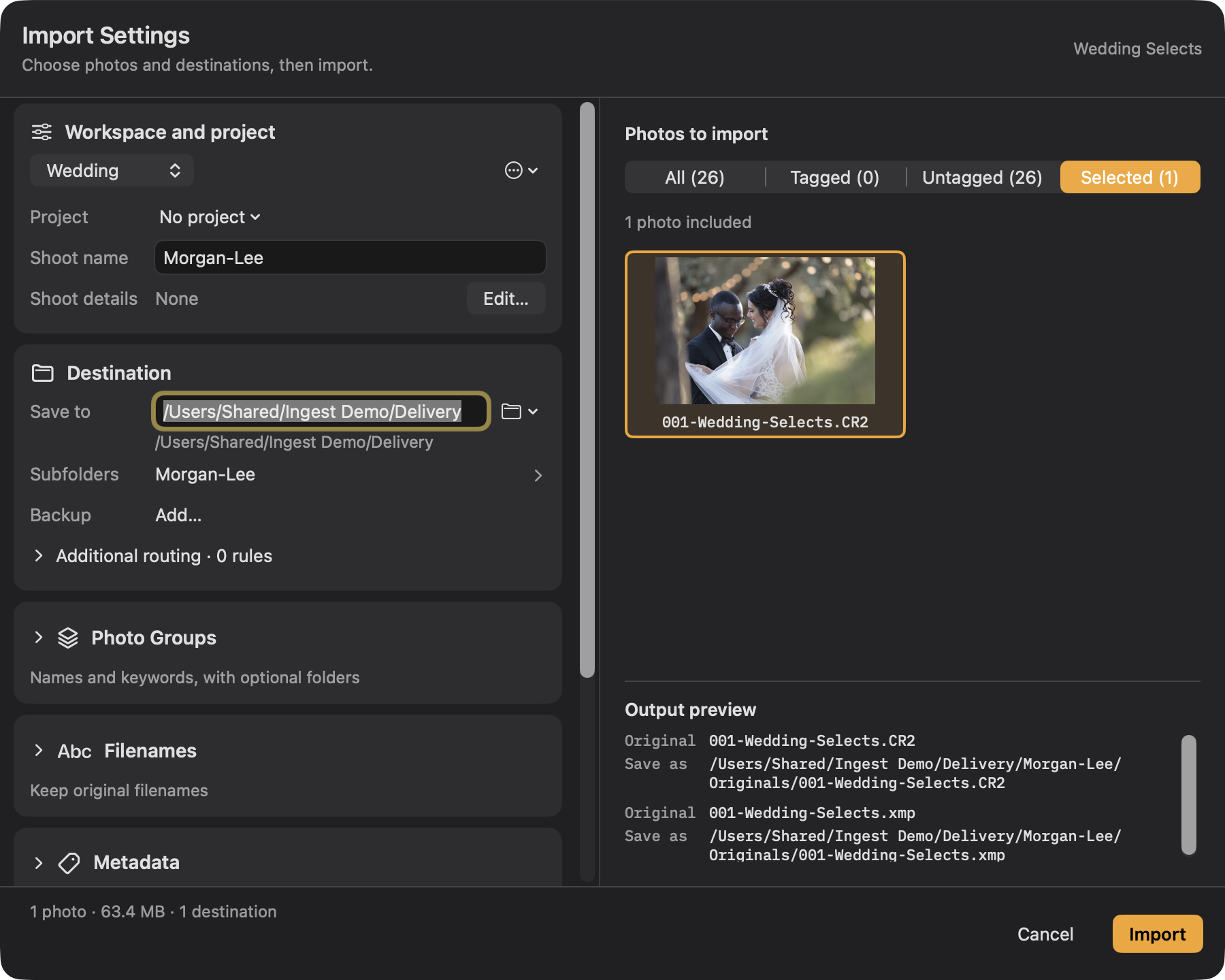
Photos to import offers All, Tagged, Untagged, and Selected. Opening Import Settings starts at Selected when photos are selected, otherwise All. Display filters do not choose this scope, and an empty scope does not fall back to All. A project retains shared job details; a shoot identifies a session that may span several cards. New sources start with No project. Review the scope count and output paths every time.
Settings cover the workspace and project, shoot details, photo groups, destinations, filenames, metadata, files, and after-import actions. The preview shows the chosen photos and final output paths. Changes for one import do not require a new workspace. Invalid destination text cannot replace a committed folder; Return selects the folder without starting the transfer.
Name Photo Groups such as Cocktail Hour, Speeches, and Late Night, then assign photos by drag-and-drop or the searchable assignment sheet. RAW/JPEG partners stay together. Group names, numbers, and optional keywords do not require group folders. Turn on Create a subfolder for each group separately if wanted. When names or folders require a group, Assign Remaining Photos resolves the unassigned list before import.
Open Preview Metadata Changes to see the actual operations and resulting values. Import freezes the reviewed photo IDs, destinations, filenames, group allocations, metadata changes, and action targets. Relevant changes or source-file edits require preparation again.
Click Import after reviewing the plan. Then:
- Each file is copied to a temporary name and flushed to disk.
- The copy is read back and compared to the source. If they differ, that file is not published and the ingest says so.
- The verified copy is given its real name, in a way that cannot overwrite an existing file even if one appeared a moment ago.
- A second destination is copied from the first and checked the same way.
- Metadata and marks are written to the copies.
- A record of the job is saved, so Ingest can tell you later which photographs from this card you have already taken.
- After copying, metadata processing, receipt persistence, and required actions succeed, explicit card-cleanup choices run. For RAW-only imports, Delete copied files also removes intentionally excluded JPEG/HEIF twins after their RAW verifies at every destination. Leave the card alone preserves both.
The progress strip shows copied files and verified, published files separately. Each destination gets a completion check only when it holds every planned file. If an ingest stops early, the receipt identifies what remains only on the card and offers a deliberate retry.
Canceling keeps verified copies. Named-group allocations remain reserved so retries retain their names; gaps after a partial failure are possible. The same shoot continues numbering across cards, while a new shoot starts fresh. Renaming or reordering a group does not rename files already imported.
Completion cards offer Browse in Ingest and Reveal in Finder. Details identify incomplete work and skipped or failed actions. Retrying unfinished actions leaves successful actions alone; automatic card cleanup does not run when required work failed.