Ingest
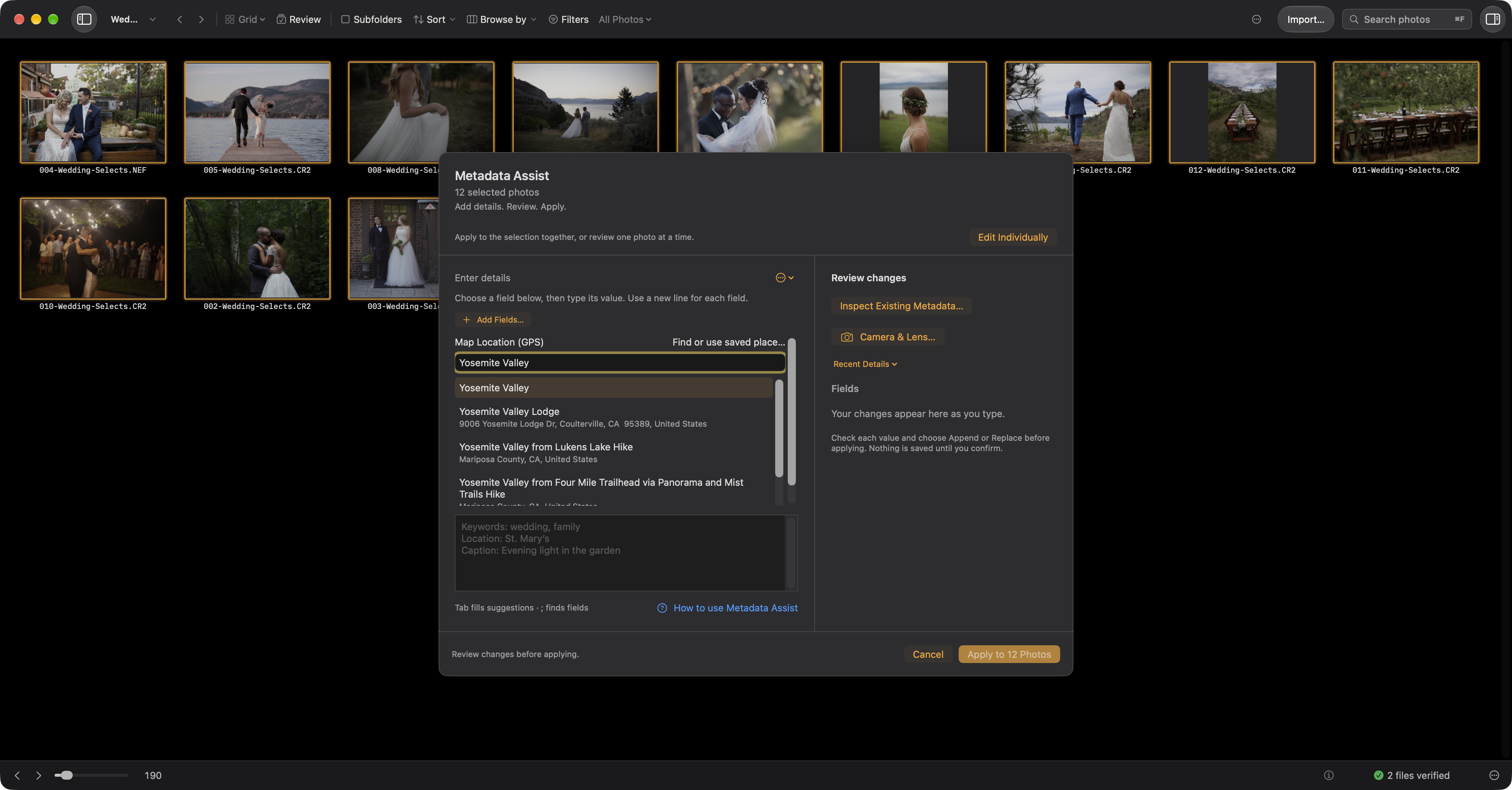
Map coordinates and descriptive place names serve different purposes. In Metadata Assist, type ;loc, choose Map Location, and press Return. Search through Apple Maps, choose a result, and review its pin before applying GPS coordinates.
Descriptive IPTC fields such as city, state, country, and the place shown in the photo are separate. Enter and review those fields when you want searchable place text. Saving place names alone does not change GPS. A saved location makes a place reusable; saving it does not itself edit photographs.
For files and folders, the separate job Location command is available with ⌘L. Review its selected location, fields, and target scope before applying. ⇧⌘L removes location information from the chosen targets. Metadata on a card is staged for imported copies.
Compatible apps read supported saved fields from image files or XMP sidecars. Apple Photos may need a JPEG export with metadata and GPS included when it does not read a RAW sidecar. Troubleshoot missing metadata.
Address searches send your query to Apple. Saved places can be reused offline. Location privacy →